
Around 1 in 5 people in the UK live with a disability. That’s roughly 14 million people who might visit your website and find they can’t use it properly. Not because they lack ability, but because the site wasn’t built with them in mind.
Web accessibility isn’t just the right thing to do. It’s a legal requirement under the Equality Act 2010, and it’s increasingly a business decision too. UK businesses lose an estimated £17 billion every year because their websites exclude disabled users. That’s customers walking away – or in this case, clicking away.
If your website isn’t accessible, you’re not just missing out on those users. You’re telling them your business isn’t for them.
What is Web Accessibility?
Put simply, web accessibility means building websites that everyone can use – including people with visual, auditory, cognitive, or motor disabilities.
The global standard for this is WCAG: the Web Content Accessibility Guidelines. They’re built on four principles. Your website should be:
- Perceivable: Users can see or hear the content
- Operable: They can navigate and interact with it
- Understandable: The content and interface make sense
- Robust: It works across different devices and assistive technologies
Barriers like poor colour contrast, missing image descriptions, or no keyboard navigation aren’t just frustrating for disabled users. They affect anyone in a tricky situation – someone in bright sunlight struggling to read their screen, or a parent holding a baby and navigating one-handed.
Accessibility in web design improves the experience for everyone.
What is UserWay?
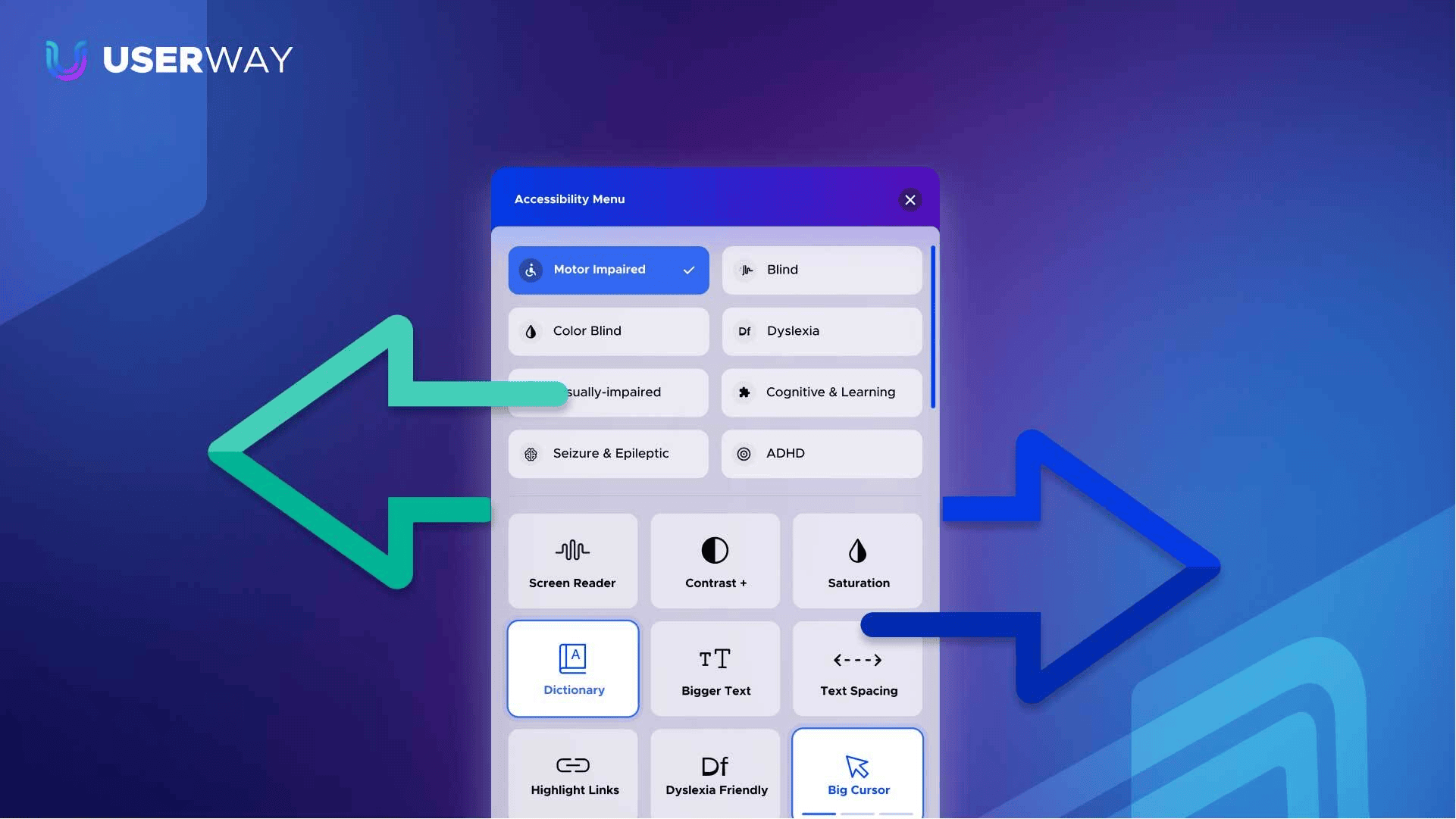
UserWay is an AI-powered accessibility widget used on millions of websites worldwide. It sits on your site as a small icon – usually in the corner – that visitors can open to customise how they experience your content.
But it’s more than just a settings panel. Behind the scenes, it’s actively working to make your site more accessible.
Key features include:
- Text resizing and spacing adjustments
- Colour contrast and brightness controls
- Screen reader support
- Keyboard navigation improvements
- Accessibility profiles for specific needs, including dyslexia, vision impairment, and ADHD
- Support for 50+ languages
It’s not a one-time fix. It’s ongoing support running quietly in the background.
How UserWay Improves Accessibility
UserWay works on two levels – what your visitors experience, and what’s happening in the code.
Front-End: User Experience
When a visitor opens the UserWay widget, they’re in control. They can:
- Increase font size
- Adjust colours to improve contrast
- Reduce animations if they find movement distracting
- Switch on readability improvements
It puts real choice in their hands, without them needing to dig into their device settings.
Back-End: Automation
While users are customising their view, UserWay’s AI is working on the other side. It:
- Scans and improves your site’s code structure
- Enhances compatibility with screen readers
- Continuously monitors for accessibility issues.
It’s not just patching problems once. It keeps checking.
Why TH3 Recommends UserWay
UserWay isn’t a replacement for good design. It’s a powerful addition to it.
At TH3, we build accessibility into every project from the start. That means thinking carefully about colour choices and contrast ratios, spacing and layout, animation behaviour, image descriptions, and more. Accessible web design is part of our process, not an afterthought.
UserWay sits alongside that foundation and strengthens it.
Here’s why we recommend it to clients:
- Quick to Implement: It’s a single line of code or a plugin install, depending on your platform.
- Immediate Improvement: No need for a full site redevelopment.
- Cost-Effective: A much more accessible entry point than rebuilding from scratch.
- Flexible: Works across WordPress, Shopify, Wix, and more.
- Customisable: We match the widget styling to your branding.
- Supports Compliance: Helps move your site towards meeting WCAG standards.
And you don’t need to handle any of it yourself. We’ll guide you through the right set-up option – whether that’s the widget alone, the widget with monitoring, or a fuller accessibility approach – get it live on your site, and make sure it looks like it belongs there.
How We’re Using UserWay
We’ve rolled out UserWay for a number of clients. Two that stand out are YorLinc and Amitola. Both are organisations whose users actively rely on accessible websites.
YorLinc
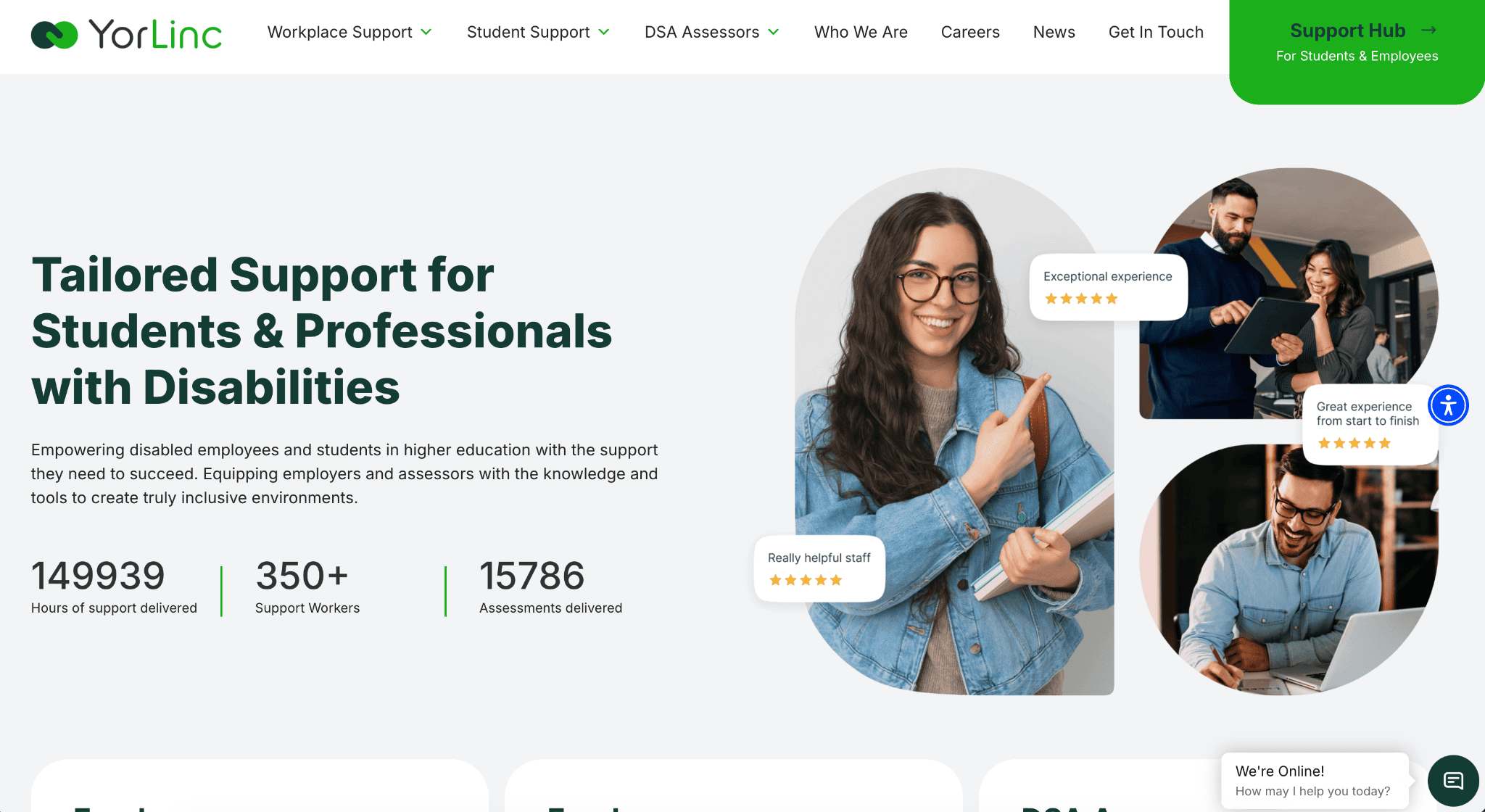
YorLinc is based in Lincoln and delivers tailored support for students and professionals with disabilities right across the UK. Their website is the gateway to their services, both for the people they support and for the referrers who connect users to them.
Their users live with a wide range of disabilities and neurodivergent conditions. A site that wasn’t accessible wasn’t just a UX issue. It was a barrier to people getting the support they needed.
Alongside the adaptive design we built from the ground up, UserWay added another layer of flexibility. Visitors can enable dyslexia-friendly settings, adjust contrast, increase text size, or switch on screen reader support – whatever works for them. The result is a site that genuinely serves the people it was built for.
Amitola
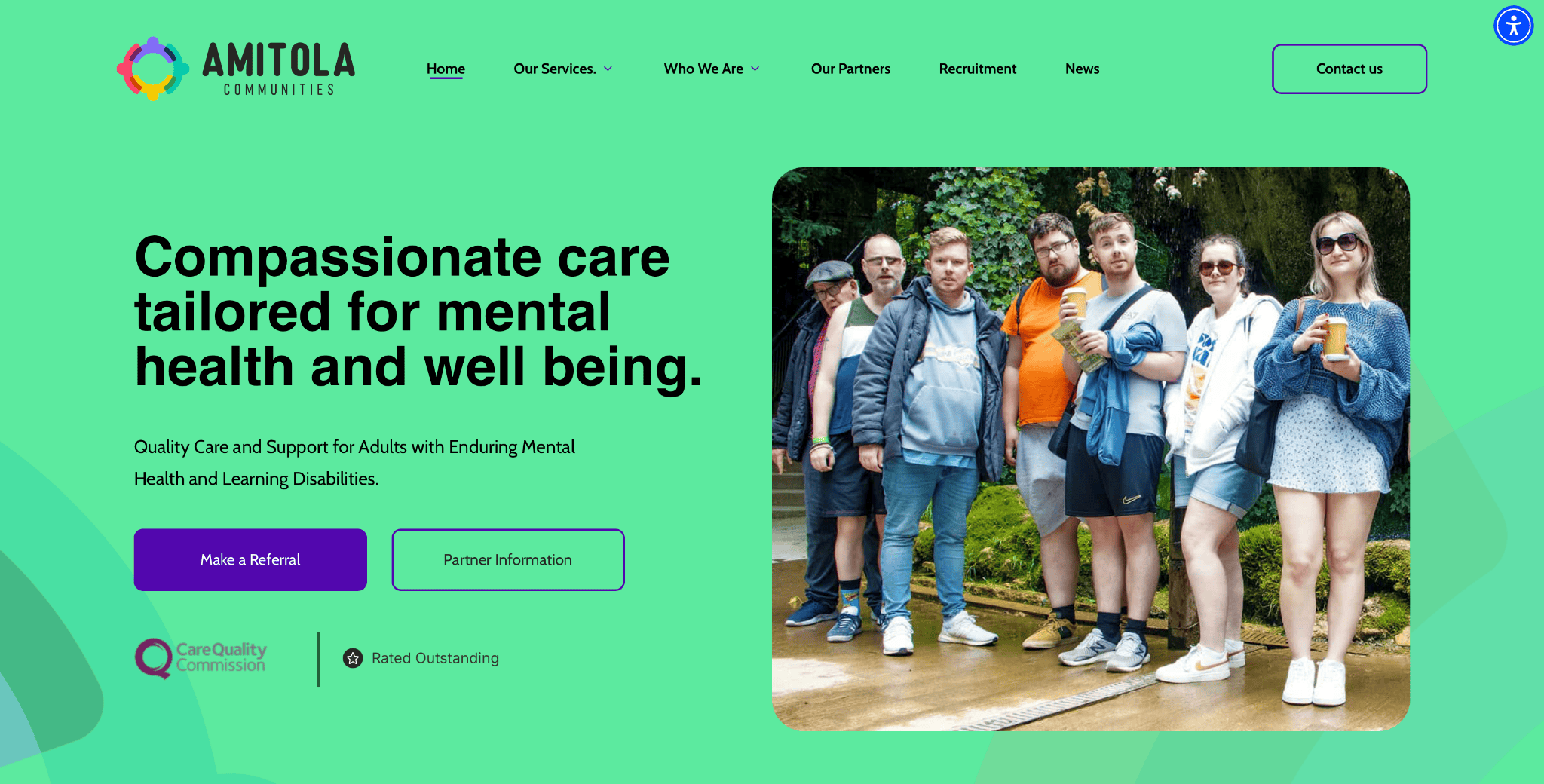
Amitola Communities is a York-based provider of quality care and support for adults with enduring mental health and learning disabilities. Their website plays a specific role: it’s where people can self-refer, so it needed to be accessible for anyone who might be looking for support – regardless of their disability or condition.
It’s also used by medical professionals, including NHS staff. The NHS uses UserWay across its own services, so having it on the Amitola site creates a consistent experience for those users; familiar controls, familiar layout, no learning curve. That kind of continuity matters when someone is navigating a stressful process.
Combined with our adaptive design, UserWay means the site works for both the professionals referring through it and the individuals reaching out for themselves.
Accessible Design is Good Design
Accessibility isn’t just about ticking a legal box or doing the ethical thing – though both of those matter. It’s also just better business and better UX.
More users can reach your site. More users can actually use it. And that means a stronger brand, a wider audience, and a website that works properly for the people you built it for.
If you’re interested in making your website more accessible – whether you’re starting fresh or improving what you’ve got – get in touch with TH3.